Click any logic node on the workflow to see what it does (in plain English, we promise).
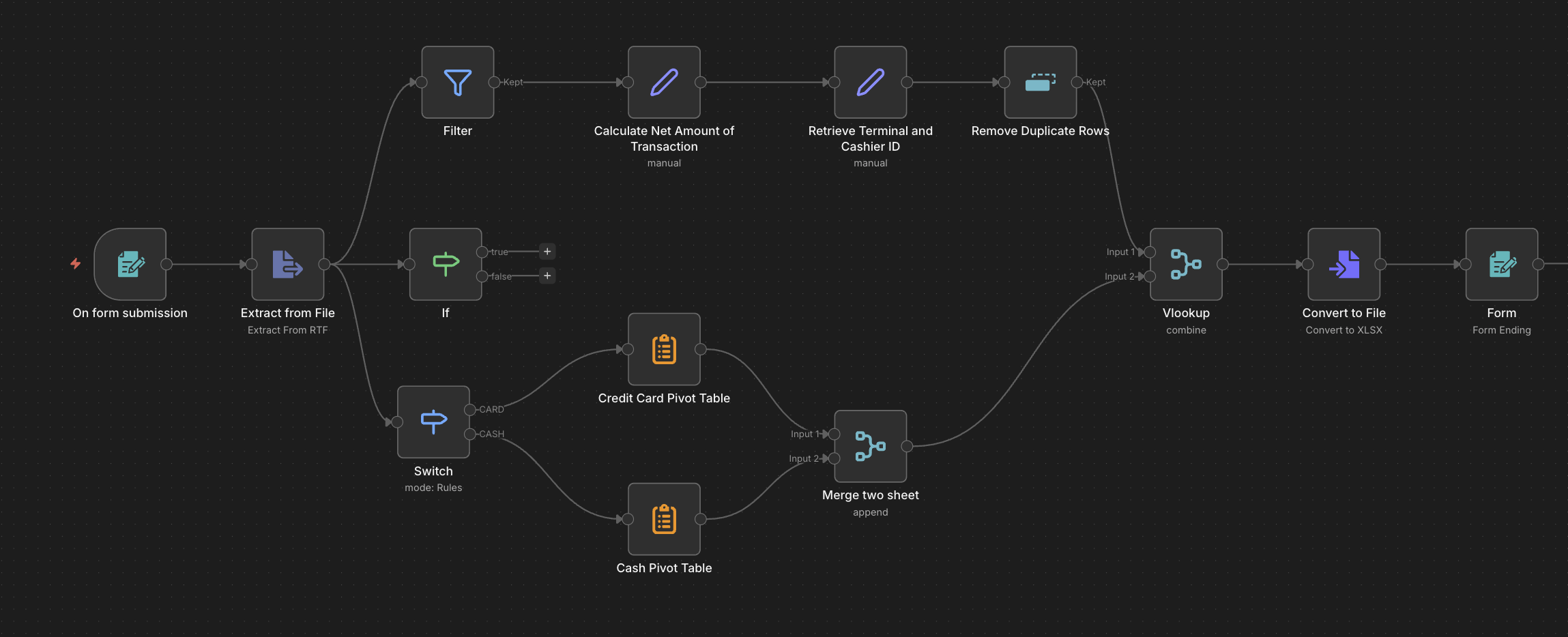
You set one rule, like "Is the amount more than RM 100?" Every item gets checked. Pass the test? Go right. Fail? Go left. It's like a mamak stall asking: "Milo ais or teh tarik?" — only two choices, no grey area.
- "Is this invoice above RM 5,000?" → Yes? Send to boss for approval
- "Is this a VIP customer?" → Yes? Roll out the red carpet
- "Is the email field empty?" → Yes? Don't even bother processing
- "Is this a new customer?" → Send welcome email, not promo blast
amount>100?
IF is a yes/no question. Switch is a multiple choice question. Think of it like sorting your laundry — whites go here, colours go there, delicates get their own pile. And that one weird sock? That's the fallback.
- "Paid by card?" → Card pile. "Cash?" → Cash pile. "eWallet?" → eWallet pile
- Sort uploaded files: PDF goes here, Excel goes there, everything else → "What is this?"
- Route support tickets to the right department automatically
- Send Malaysian orders to MY warehouse, SG orders to SG warehouse
payment_type
Unlike IF (which sends rejects to a "false" lane), Filter is brutal — items that don't match just disappear into the void. One output only. Think of it as that strict aunty at CNY who only lets the well-dressed kids take ang pow.
- "Status = completed?" → You stay. Everything else? Bye bye
- Remove rows with blank email before sending to a mailing list (no more bounced emails!)
- Keep only transactions from the last 30 days — ancient history can wait
- Only show products that are actually in stock (no angry customers, please)
status="done"
Imagine you sent two interns to collect data from two different departments. Now you need both results in one report. Append = stack both piles together. Merge by Key = match them row by row (like pairing socks). Wait = "Nobody moves until BOTH of you are done."
- Combine the card sales report and cash sales report into one big happy spreadsheet
- Wait for both the email AND the Slack notification to finish before moving on
- Join customer names with their order data — like a mamak menu + price list
- Merge two branches that went different ways after an IF node
append
You know that feeling when you have a transaction list with just "cashier_id: C02" and you're like "Who is C02?!" This node grabs your staff directory, matches C02 to "Nurul Izzah", and fills in the name for you. It's VLOOKUP but without the existential crisis of getting #N/A errors.
- "Order has product_id P003" + product list = "Ah, that's Roti Canai, RM 2.00"
- Match transaction records to cashier names so your report doesn't look like a spy movie
- Got a postcode? Look up the city and state automatically
- Combine leads with company data by matching email domains
key: cashier_id
Ever had someone submit the same form 5 times because they kept clicking the button? This node looks at a field you choose (like email) and says: "I already have you. The rest of you clones — get out." Only the first one stays. Think of it as the guest list bouncer who checks: "Name already on the list? You're a duplicate. Next!"
- Uncle clicked "Submit" 5 times — keep only the first form entry
- Imported a CSV where every customer appears twice? Cleaned in one click
- API returned page 1 and page 2 with overlapping results? Sorted
- Make sure no duplicate transaction IDs sneak into your report
key: email